Google Takeout Phase 2 — Download via Firefox
Once you receive the email from Google Takeout with the download link, you can use a Firefox Docker container on Unraid to download the exported files directly to your Unraid server.
Purpose: This method is especially useful if you have a large library, slower download speed and to avoid downloading the files to your local machine first and moving it to Unraid.
Quicklink to search for Firefox in Community Applications (paste into your browser while logged into Unraid):
http://<your-unraid-ip>/Apps?search=firefox+linuxserver
- Go to the "Apps" tab in your Unraid web interface
- Search for "Firefox" in the Community Applications.
- Choose the Firefox container by LinuxServer.io and click "Install".
- If you already have a Firefox container setup, choose to name the new container something like "firefox-takeout-export" to differentiate it from any other Firefox containers you may have.
- During the installation process, scroll down and click on

- To map the Download Path to the
immichshare, set the "Config Type" toPath(It's automatically pre-set) - Name:
takeout-export - Container Path:
/config/Downloads - Host Path:
/mnt/user/immich/Takeout - Access Mode:
Read/Write - → Hit
 to add the path mapping
 - Hit
 to start the installation of the Firefox container with the new path mapping.
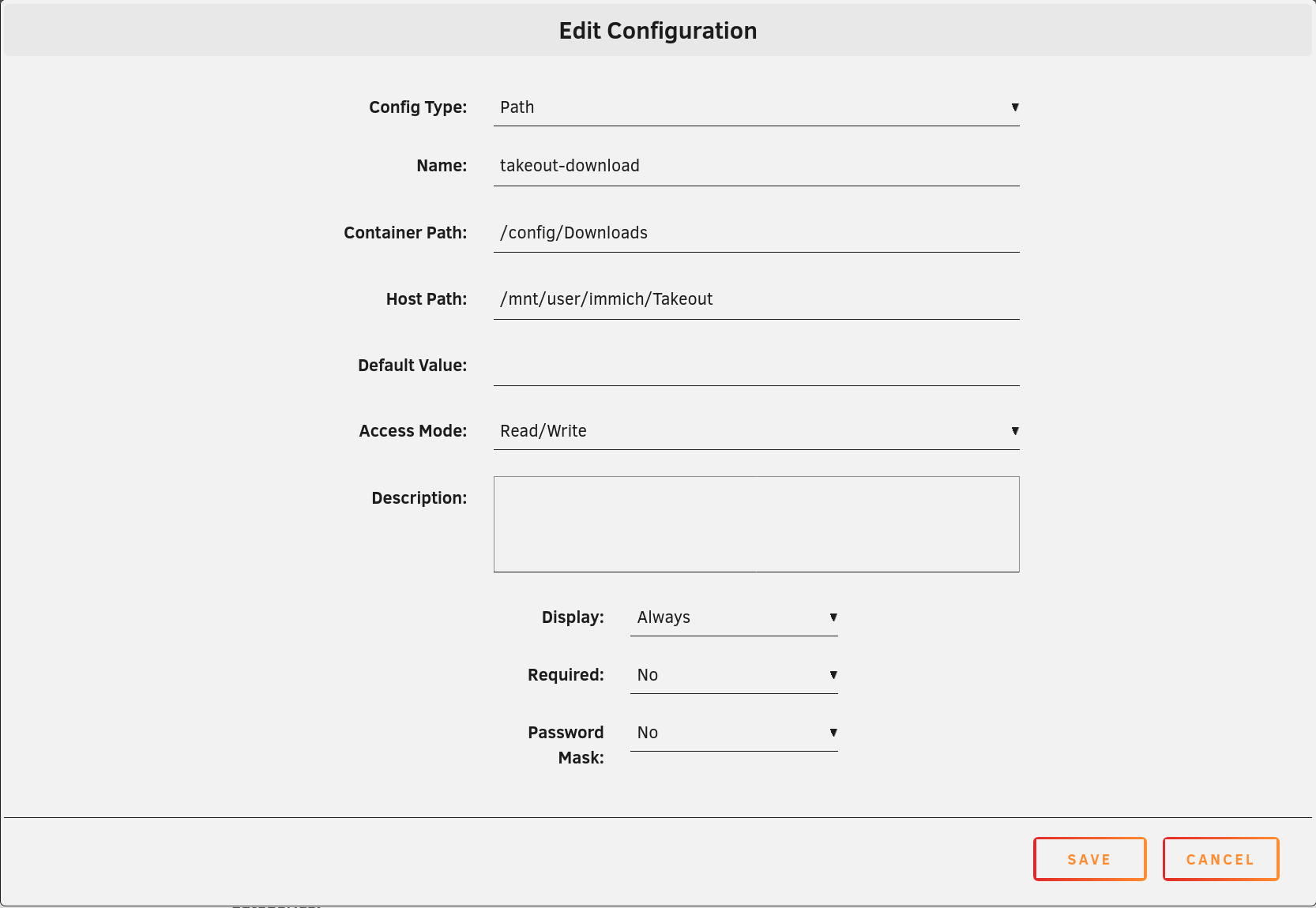
- Open the Firefox container's web UI
- You may be prompted with an SSL warning since the container is using a self-signed certificate. You can safely bypass this warning by clicking on "Advanced" and then "Accept the Risk and Continue" to proceed to the Firefox web UI.
- Go to https://mail.google.com/
- Sign in to the Google account associated with your Google Takeout export.
- When prompted for giving Google/Alphabet your data, click "Deny All" (or similar)
- Open the email from Google Takeout
- Click on the download link(s) for your export.
- Your export files will start downloading directly to the
immichshare on your Unraid server in theTakeoutfolder that we mapped to the Firefox container.
Note
- The download speed may vary based on your internet connection and the size of your export. Be patient, especially if you have a large library. Grab a coffee or two while you wait! :coffee:
- Sometimes the download speed may be slower than expected as you may have caught an overloaded Google Server. If you notice that the download is very slow, you can try pausing/aborting and resuming the download in the Firefox web UI to potentially improve the speed.